Open source · MIT License
A desktop GUI for
pass
Lightweight, self-hosted password management built on
pass,
gpg, and
git.
Your passwords, your infrastructure, your rules.
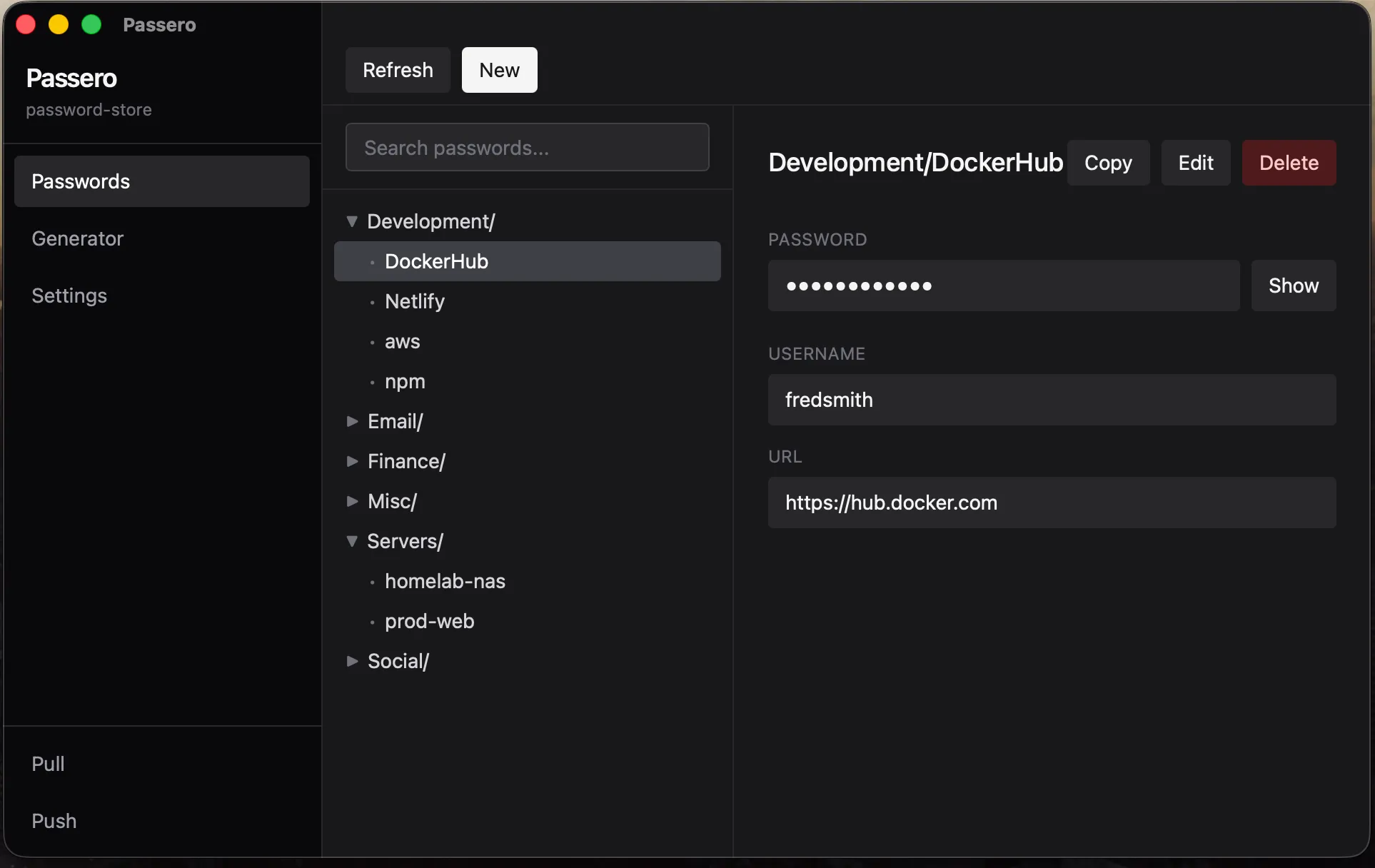
Lightweight, self-hosted password management built on
pass,
gpg, and
git.
Your passwords, your infrastructure, your rules.
$ brew tap passero-app/passero
$ brew install --cask passero
✓ Passero installed
No proprietary vault. No cloud dependency. Just GPG encryption, Git sync, and the Unix philosophy.
Every entry encrypted with your GPG key. Add a YubiKey for hardware-backed 2FA that never leaves your device.
Push and pull from the sidebar. Share vaults via GitHub, GitLab, or your own bare repo. Full version history for free.
Built on the standard pass CLI. Use the GUI or terminal interchangeably. Script it, pipe it, automate it.
Native desktop app built with Tauri 2 and Rust. Fast, lightweight, and runs on macOS and Linux. Windows coming soon.
pass is a well-known CLI that AI assistants understand natively. Use Claude or any LLM to manage your passwords through natural language.
Hardware-secured 2FA with YubiKey via GPG smartcard. Your master key never exists in software. The gold standard for key management.
Passero is a GUI shell around the standard Unix password store. No new formats, no lock-in.
Each password is a GPG-encrypted file in ~/.password-store/. Standard PGP — decrypt with any GPG implementation.
The store is a Git repo. Push to GitHub, your homelab, or any remote. Merge conflicts? They're just GPG files — Git handles it.
Add team members' GPG keys to the store. Re-encrypt for the group. Everyone decrypts with their own key — no shared secrets.
Install via Homebrew or download a release. Requires pass and gpg.
$ brew tap passero-app/passero
$ brew install --cask passero
$ git clone https://github.com/passero-app/Passero.git
$ cd Passero && npm install
$ npm run tauri build